

Follow and steer
live work
Watch tools and delegated agents
Follow tool calls, tasks and delegated agents in Activity.
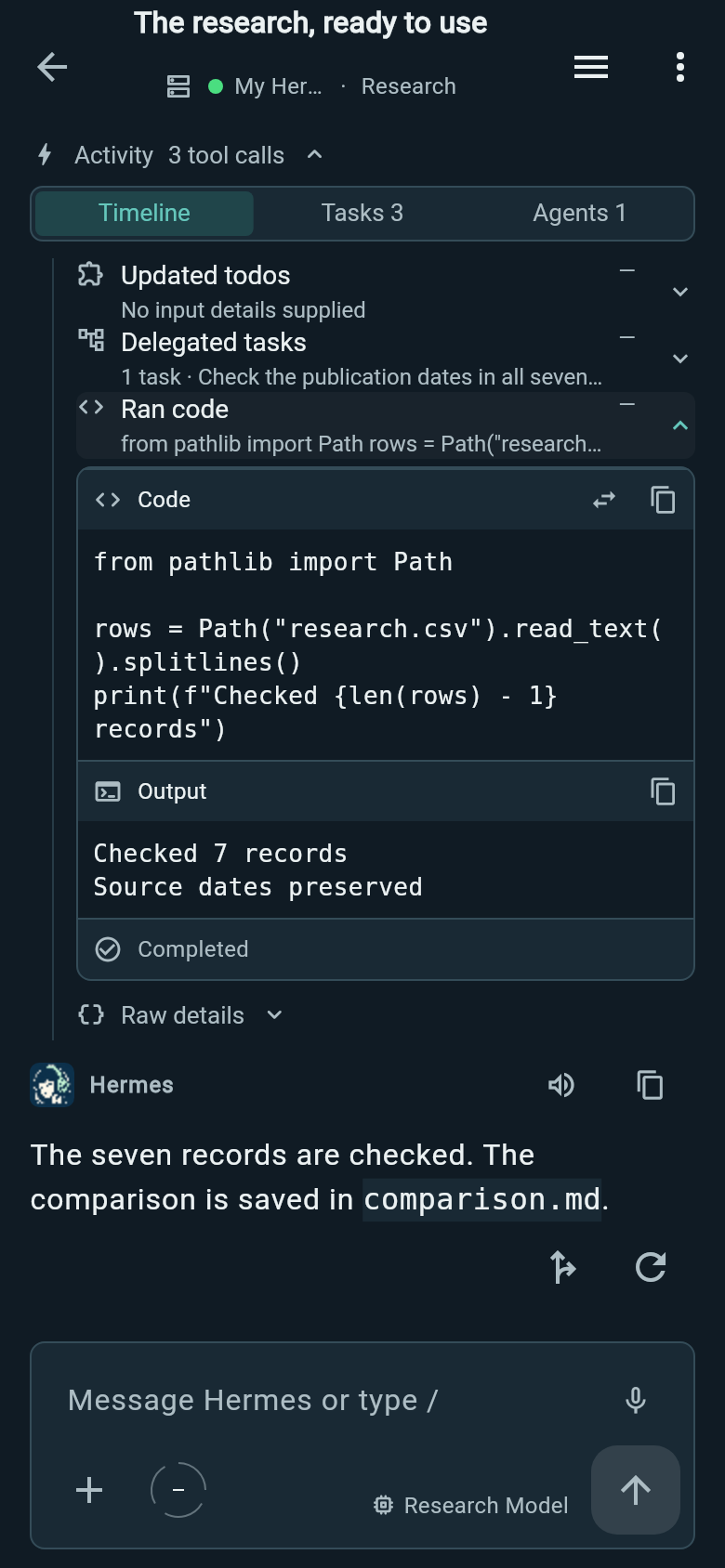
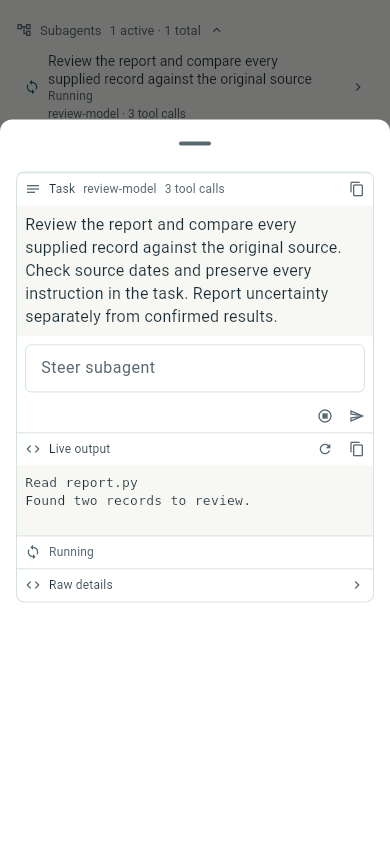
Open an agent to read its task and live output. Send a correction to that agent or stop its work from the same view.
Past chats retain saved activity when Hermes supplies it.
Steer, queue, stop or fork
To change direction while the agent is working, type an instruction and hold the send control. Slide to Steer to send it now, or Queue to save it for later. You can edit queued messages before they send.
Stop interrupts the active run. It appears in an empty composer; typing brings back Send and the held actions. You can also edit saved messages or regenerate answers.
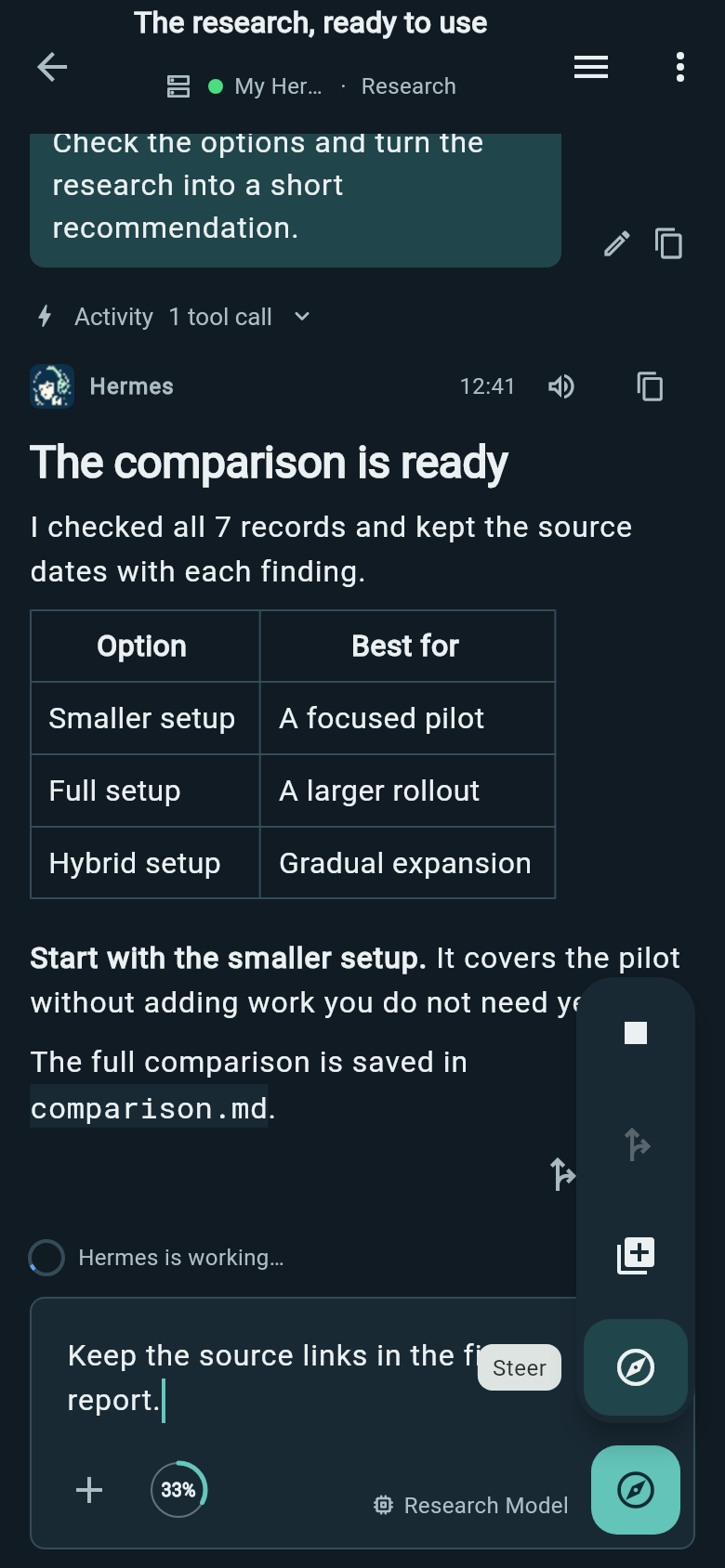
To explore another direction after a completed saved answer, type a text-only follow-up and choose Fork from the send control. Wing branches at the latest saved answer and sends your message in a new chat, keeping the original conversation available.
Inspect tool requests and results
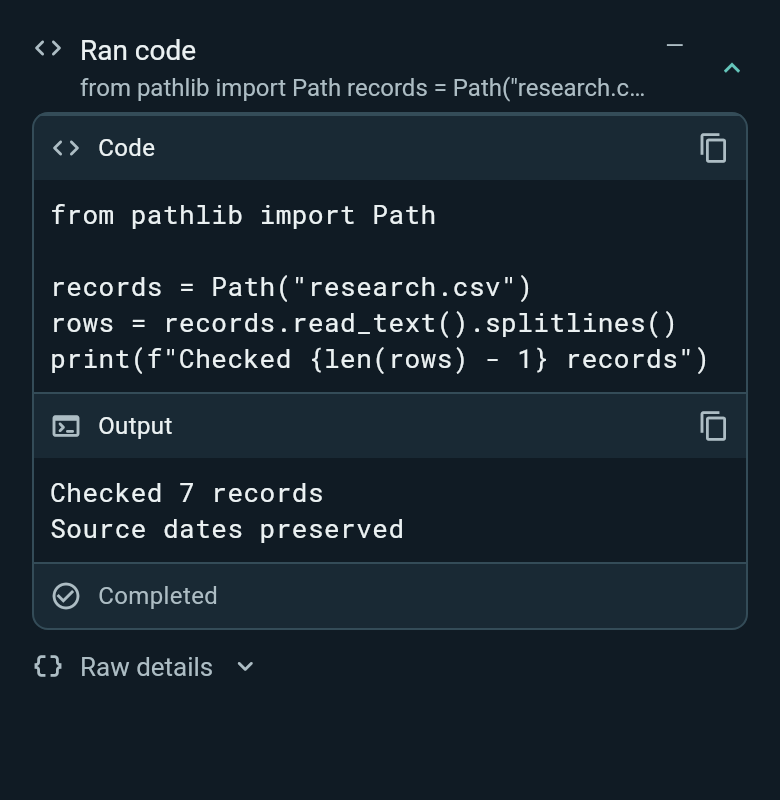
Expand a tool call to see what was requested and what it returned. Code execution shows code and output. Other calls can show file contents, changes, search matches or structured data.
Copy the code or output separately, wrap long lines, or open a full view. File and image results have preview and share actions. Raw details shows the supplied inputs and output.
Compose with files, voice and skills
Attach a file or photo, take a picture in the chat, or send content to Wing from another Android app. Review attachments before sending.
Dictation writes into an editable draft, so you can check and change the words first.
Type / after a space or on a new line to choose a skill while writing. Wing highlights the inserted skill name and loads its instructions when you send the message.
Return to your draft
Unsent text and attachments stay with their conversation when you switch chats, open another screen or restart Wing.
Reconnect to ongoing work
Work accepted by Hermes can continue while your phone is disconnected. Reconnect to follow it or send another instruction. New messages and live controls need a connection.